Generate MIDI Clock
From the Options menu, choose Timecode,
and then choose Generate MIDI Clock from the submenu if you want to generate MIDI clock
when you click Play  .
.
MIDI clock differs from MIDI timecode in that it contains tempo as well as positional information. MIDI clock is essentially measured in ticks from the beginning of the project. MIDI clock sends 24 ticks per quarter note.
The advantage of using MIDI clock is that Acid software can send its tempo changes to the chasing application and they will be preserved.
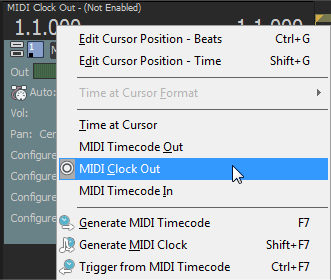
Generate MIDI clock

View outgoing MIDI clock
Last modified on July 01, 2026
Was this page helpful?
What did you particularly like about this page?
What did you dislike about this page?
Thank you for your feedback.