Using Regions
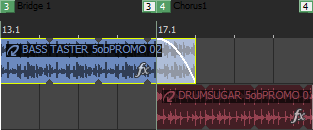
Regions can be used to indicate sections of projects such as the chorus, verse, and bridge.
To create a region, make a time selection and choose Region from the Insert menu. A region will be added at the cursor position.
TIP Each region (up to 99) is assigned a number. Pressing this number on the keyboard selects the corresponding region.
Name a region

 and choose
Move a region
Move the cursor to
a region tab
Select a region
Delete a region
Last modified on July 01, 2026
Was this page helpful?
What did you particularly like about this page?
What did you dislike about this page?
Thank you for your feedback.