Interpretation Options
In the lower part of the Score Settings dialog there is a section where you can influence how the score is displayed via a number of options.
These options do not affect the playback, but only the note display.
Simplify note lengths (interpretation): Rests and slurred notes are displayed so that the score is as legible as possible.
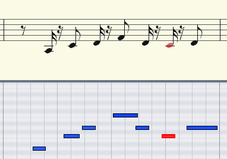
Display without option Simplify note lengths; display quantization 16th.
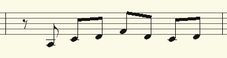
Display with option Simplify note lengths (Interpretation)
Hide note overlaps: Use this option to eliminate slurs over successive notes caused by legato playing, for example.
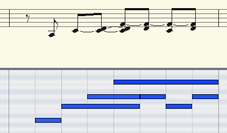
Original

Display with Hide Note Overlaps option
Automatic staccato articulations: With this option, notes that are shorter than the displayed MIDI note get a staccato symbol.
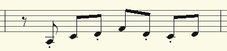
Display with option "Automatic staccato articulations"
Recognize triplets: Activate this option if triplets are present in the MIDI object.
Note: Always set the value for the display quantization one step finer than the smallest triplet values to be detected. For example, to recognize one eighth triplets, display quantization has to be set to at least one sixteenth (or to 1/64 for 1/32 triplets).
Strict measure beat/pulse division: With this option, no note and rest values occur that are longer than a bar subgroup (pulse, beat). In some cases longer notes are displayed as multiple slurred notes. This can simplify the legibility of the score.
Larger beam groups: Bar groups are partially compiled across beat subgroups. This can also simplify the legibility of the score.
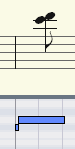
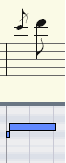
Recognize grace notes: Note values which are much shorter than the display quantization value are annotated as grace notes as long as a base note is present.
|
|
|
|
Original |
Display with Recognize Grace Notes" option |
Force Polyphonic Notation: The display of the notation always appears polyphonic.