Revolta 2
The Revolta 2 is polyphonic with up to 12 voices. It includes an additional noise generator, step sequencer and is equipped with an extremely flexible modulation matrix. Its effects section of 9 different effects and presets, designed by a famous designer, make its a full-fledged synthesizer for all kinds of lead, sequence, and pad sounds.
Revolta 2 has a number of ready programmed presets. The sounds were created by professional sound designers and already show " out of the box" the great potential of this instrument. However, we would still like to encourage you to try out the various controls to experiment around as much as you like. The sky's the limit to your creativity.
Revolta 2 - Interface
The Revolta 2 interface can be displayed in two sizes. In rack mode only the elements necessary for preset loading are visible:

Clicking the "Edit" button opens the entire user interface.
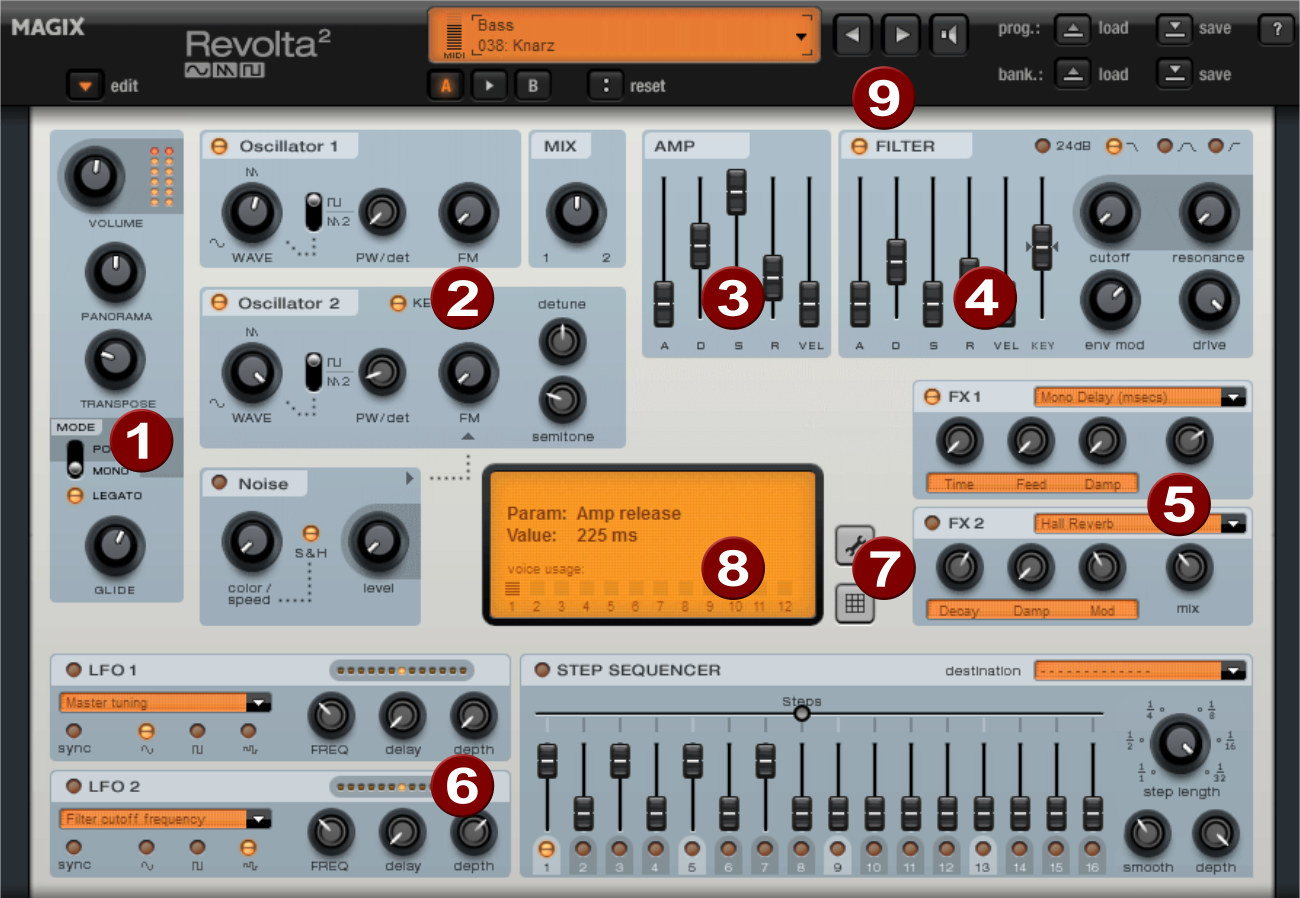
1. Main parameter: Here the volume, panorama position, pitch characteristics ("transpose") and the play modes (POLY, MONO, LEGATO) can be set. GLIDE controls the portamento time.
2. Oscillator section: Two oscillators are available with a smoothly adjustable curve form and a noise generator. The two oscillators can be detuned against each other and frequency modulate with each other.
3. AMP: This is the volume envelope. With this you can control the timing of a sound's volume. A(ttack) stands for the volume increase at the beginning, D(ecay) for the duration of the volume drop to a proportion of the maximum volume specified by S(ustain). R(elease) is the length of time it takes for the sound to fade out. VEL specifies how much the envelope depends on the velocity.
4. FILTER: Here you can switch on a filter which influences the sound. With FILTER TYPE you can select the kind of filter you want to use. "Cutoff" controls the filter frequency and "Resonance" controls the strength of the emphasized filter frequency. "VEL" indicates how much the velocity influences the filter frequency, using "KEY" you can change the filter frequency depending on the note value ("keytracking"). The filter envelope (ADSR slider) influences the filter frequency depending on the time. "env mod" controls the intensity of the filter envelope, "drive" allows you to overdrive the filter.
5. FX1/FX2: Here you can mix in 2 different effects out of a total of 9 available effects.
6. LFO1/LFO2/STEPSEQUENCER: Two LFOs and the step sequencer can be used to modulate single parameters of Revolta 2.
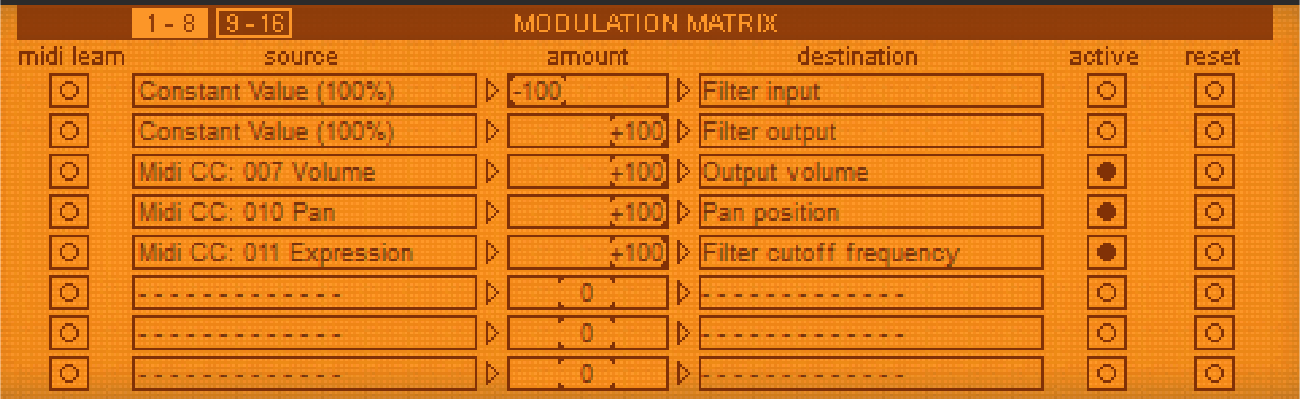
7. Options and modulation matrix: The two buttons open Revolta's options page for general and preset-specific settings and the modulation matrix. In the modulation matrix, modulation sources are connected with modulation targets. Simple modulations like an oscillator, where the pitch will be modulated via an LFO (vibrato), may be set quicker directly on the interface. Much more complex modulations are possible in the matrix, because the matrix offers more modulation sources (e.g. MIDI controller, oscillators) and the modulation source may influence more targets.
8. VALUE DISPLAY: The value display shows the exact value of the parameter which was just modified. You can also check the usage of the twelve voices.
9. Preset section: Select different Revolta presets here. Each sound can be tested briefly using the loudspeaker symbol; an A-B comparison between two sounds is also possible (e.g. edited and original preset).