Go To
From the Edit menu, choose Go Toto move the cursor to a specific location in a sound file.
-
From the Edit menu, choose Go To. The Go To dialog is displayed.
-
Choose a preset from the Go To drop-down list, or choose Custom to specify a cursor position using the Position and Input Format controls:
-
Type a value in the Position box or use the up and down arrows to determine where the cursor will be moved.
-
Choose a setting from the Input Format drop-down list to determine the format used by the Position box.
-
-
Click OK to close the dialog and move the cursor.
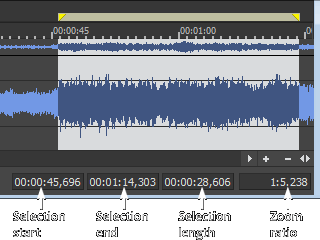
TIP Press F5 and type a value in the Selection Start box in the data window to navigate to a specific location quickly.
Last modified on March 04, 2026
Was this page helpful?
What did you particularly like about this page?
What did you dislike about this page?
Thank you for your feedback.