Oscilloscope
The oscilloscope displays the signal amplitude over the time curve.
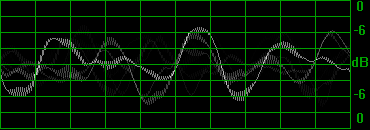
To display the Oscilloscope, right-click the Channel Meters and check the Show Oscilloscope option in the context menu.
To change the look of the Oscilloscope you can choose from several presets: Right-click the Channel meters and choose a preset from the Oscilloscope Presets sub-menu.
Last modified on February 09, 2026
Was this page helpful?
What did you particularly like about this page?
What did you dislike about this page?
Thank you for your feedback.