Playlist/Cutlist
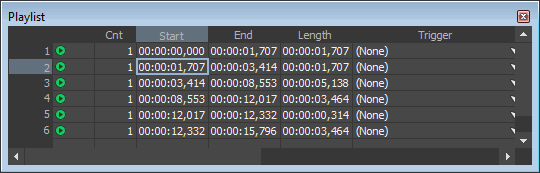
From the View menu, choose Metadata, and then choose Playlist/Cutlist to open or close the Playlist/Cutlist window. This window is used to arrange regions for playback.
Tips:
-
To play a region, click the Play button
 to the left
of each region. The selected region and all subsequent playlist entries
are played in succession.
to the left
of each region. The selected region and all subsequent playlist entries
are played in succession. -
You can edit a Playlist/Cutlist region by typing new values in the Cnt, Trigger, Chan, Note, and SMPTE Time boxes.
-
You can rearrange regions by dragging rows within the Playlist/Cutlist window (drag the leftmost numbered column).
Add a region to the
Playlist/Cutlist window

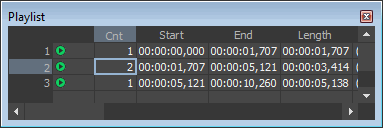
Specify a region's
play count
Pre-roll playback
Set a playlist stop
point

Trigger a playlist
region using MIDI commands

Trigger playback with
MIDI timecode
Last modified on June 09, 2026
Was this page helpful?
What did you particularly like about this page?
What did you dislike about this page?
Thank you for your feedback.