Adjusting an Event's Length

Adjusting an event's length determines which portion of a media file is played by an event and for how long.

Trim the start or end of an eventClosed

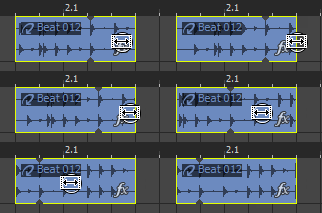
With the Draw or Time Selection tool selected, drag either end of an event. The waveform stays in place, but the beginning or end of the event will move.

The event edge will snap to grid lines if snapping is on; you can hold the Shift key while dragging to temporarily override snapping.

NOTE If you drag the end of the event past the end of the media file, loops and MIDI clips (with the Looped check box selected in the Clip Pool) will paint continuously across the timeline. One-shots and Beatmapped clips do not repeat.

Shift the contents of (slip) an event Closed

With the Draw or Time Selection tool selected, hold Alt while dragging an event. The mouse pointer is displayed as a .

As you drag the event, the contents of the event shift, but the event will not move. You can use this technique when you want to maintain an event's length and position, but have the event play a different section of the source media file.

This example demonstrates holding Alt while dragging an audio event to the right:

Slip-trim an event Closed

With the Draw or Time Selection tool selected, hold Alt while dragging the right or left edge of an event. The mouse pointer is displayed as a .

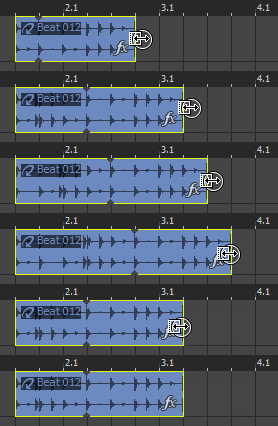
As you drag the event edge, the opposite edge of the event will remain fixed, trimming the media from the edge you drag.

This example demonstrates holding Alt while dragging the right edge of an event to the right:


Slide an eventClosed  

Hold Ctrl+Alt while dragging an event. The mouse pointer is displayed as a .

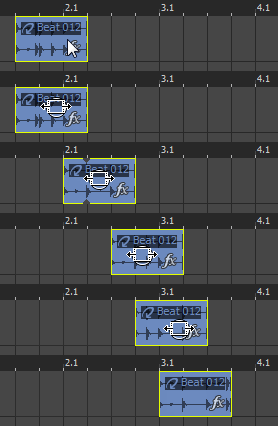
As you drag, the relative position of the media remains fixed on the track, and the event position changes. You can use this technique when you want to maintain an event's length, but have the event play a different section of the source media file at a different point in your project.

The following image represents holding Ctrl+Alt while dragging an audio event to the right: