Generating MIDI Timecode
From the Options menu, choose Timecode,
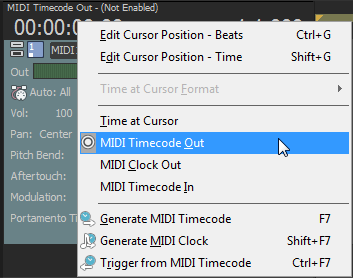
and then choose Generate MIDI Timecode from the submenu if you want to generate MIDI timecode
(MTC) when you click Play .
.
MIDI timecode (MTC) is a standard timecode that most applications and some hardware devices will use to synchronize themselves. Acid software will generate stable MTC at all available frame rates for other applications to chase.
Generate MIDI timecode

Generate MTC with an
offset
View outgoing timecode
Last modified on July 01, 2026
Was this page helpful?
What did you particularly like about this page?
What did you dislike about this page?
Thank you for your feedback.