The Time Ruler
From the View menu, choose Time Ruler, and choose Show Time Ruler from the submenu to toggle the display of the time ruler.
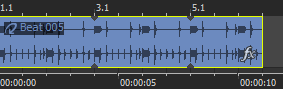
The time ruler is displayed along the bottom of the timeline. To change the format of the display, right-click on the timeline and choose an option from the shortcut menu. This timeline will change with tempo since the number of bars and beats per second of real time will change with tempo.
|
|
Beat ruler |
| Time ruler |
Change the format of
the time ruler

Create a time ruler offset
 to
move the cursor to the beginning of your project.
to
move the cursor to the beginning of your project.Last modified on July 01, 2026
Was this page helpful?
What did you particularly like about this page?
What did you dislike about this page?
Thank you for your feedback.