Modifying Event Properties
Event properties allow you to perform advanced event-level editing. These properties are saved only with a project and are not saved into the files when you save stretching properties for a clip.
To modify event properties, right-click an event and choose Properties from the shortcut menu.
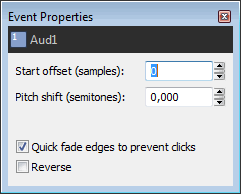
Start offset

Pitch shift
Speed (one-shots only)
Quick fade edges to prevent clicks
 . Drag
the edge of the fade to adjust its duration:
. Drag
the edge of the fade to adjust its duration: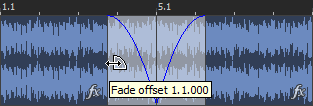
 or Time Selection
  tool selected, right-click
in the faded area, and choose
tool selected, right-click
in the faded area, and choosePlay reversed

Last modified on July 01, 2026
Was this page helpful?
What did you particularly like about this page?
What did you dislike about this page?
Thank you for your feedback.