Search Menu Commands and Help Topics
Sequoia provides an input field for finding menu commands and help topics.

Click in the search field or use the keyboard shortcut Ctrl + F and enter a search term. Up to five menu commands containing the searched term and the corresponding path in the menu are displayed as well as corresponding help topics.
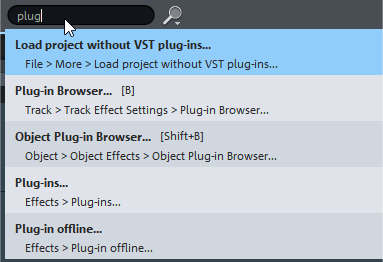
You can execute the commands in the search results directly, if you select a help topic, the help with this topic will be opened.
You can also use the search field to search for track and object names or to execute specific commands! For more information, see Macro functionality.