Time Display
From the View menu, choose Time Display to open or close the Time Display window. The Time Display window displays the current cursor or play position.
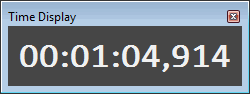
To change the display options, right-click the Time Display window and choose a command from the shortcut menu, or choose Time Display from the Options menu and choose a command from the submenu.
Last modified on February 23, 2026
Was this page helpful?
What did you particularly like about this page?
What did you dislike about this page?
Thank you for your feedback.