Stereo Objects
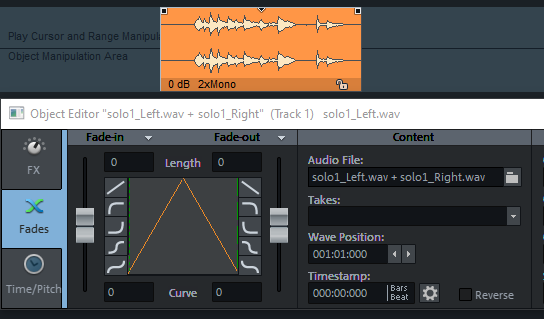
Objects can reference mono or stereo files. Pairs of mono files, where a stereo source has been recorded on two mono tracks, can also be loaded and edited together as one object.
The files must be named the same and end with _L and _R. Then you can activate the option Load L&R files as stereo in the dialog Options for loading audio files. You can then select both files together when loading via the file manager or via menu File > Load audio file... and they will be loaded together into one object.
In the File manager you will find corresponding commands in the context menu of files to append _L or _R to the file name. You can also use the command Add _L and _R to file name alternately to apply the command to a series of files, provided that the files are in the correct order in the list. This can be achieved by having the recorded files contain the track number as part of the name and, as is usual when recording in mono pairs, having the mono tracks next to each other. In Sequoia you will find the corresponding options for this in the dialog Track settings at File name at the button All tracks.
To convert mono objects into stereo objects in the project, select the two objects and use the command Menu Object > Edit object > Stereo object from mono objects. The objects do not have to have the same start or end time, nor do they have to be placed on directly adjacent tracks, but they should overlap in time. The stereo object replaces the upper object and preserves its object effects. It contains on the left channel the audio data of the upper object and on the right channel the audio data of the lower object.
Attention: When the objects no longer overlap in time, the audio data of the lower object will be shifted.
You can also combine two complete tracks with mono objects into stereo tracks with stereo objects. The tracks must be directly below each other and all objects must have the same start and end positions. To do this, select the command Menu Track > Stereo object from mono objects (whole track).